Icon Editor Screenshots


Even though the screenshots here are all in German, the original version of the Icon Editor is written in English.

The Icon Editor is more than just a simple editor for program icons. It is a fully featured painting program that allows you to create bitmap images for almost any purpose.
Download English version.

Der Icon Editor ist mehr als ein einfacher Editor für Programm-Icons. Er ist ein gut ausgestattetes Malprogramm, mit dem man Bitmap-Bilder für praktisch jeden Einsatzzweck erzeugen kann.
Download Deutsche Version.


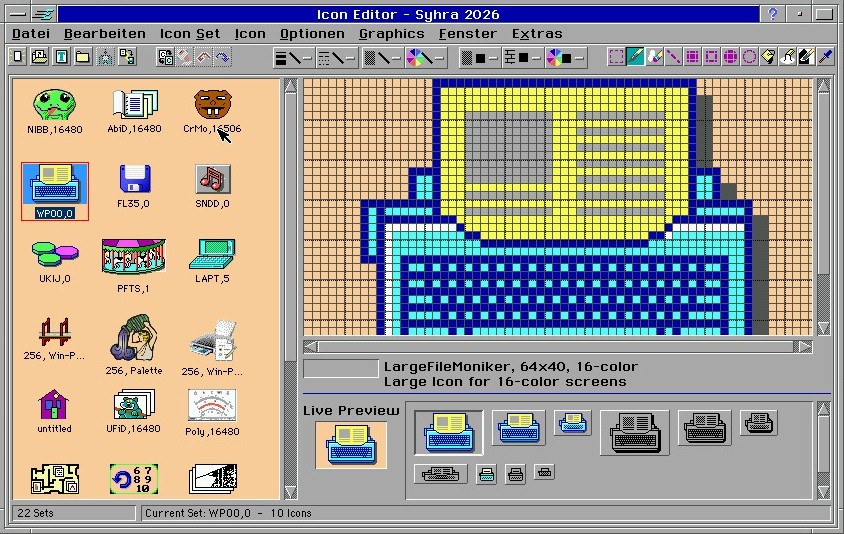
Der Hauptbildschirm. Hier sieht man die verschiedenen Icon-Sets und kann die einzelnen Icons daraus berabeiten. Jedes Icon hat einen Namen, der beim Schreiben des Sourcecode als Bezeichner für den Moniker verwendet wird.
Eine ausführliche Hilfe-Datei, die z.B. wichtige Begriffe oder Vorgehensweisen erklärt, ist vorhanden.
The main screen. Here you can see the various icon sets and edit the individual icons within them. Each icon has a name that is used as the identifier for the moniker when writing the source code.
A detailed help file is available that explains, for example, important terms and how to proceed.


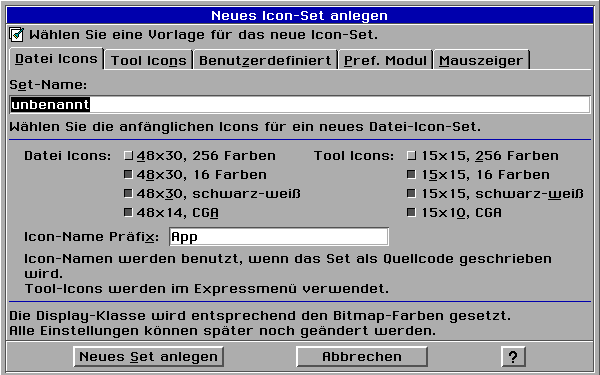
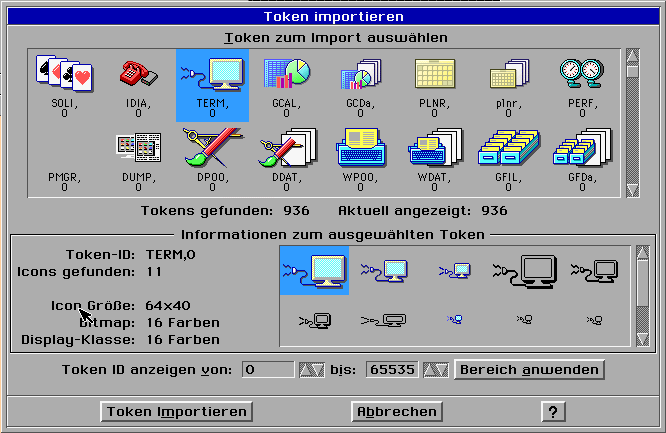
Icons und Icon-Sets können auf verschiedene Weise angelegt werden. Dazu gehört auch, Token aus der Token-Database zu importieren. Ab Version 7 des Iocn Editors werden alle vohandenen Icons, auch die Tool-Icons, importiert.
Die fertigen Icons können später z.B. als Sourcecode oder direkt in die Token-Database exportiert werden.
Icons and icon sets can be created in various ways. This includes importing tokens from the token database. Starting with version 7 of the Icon Editor, all existing icons, including the tool icons, are imported.
The finished icons can later be exported, for example, as source code or directly to the token database.


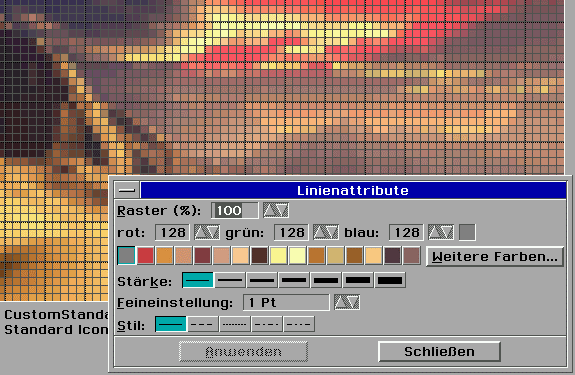
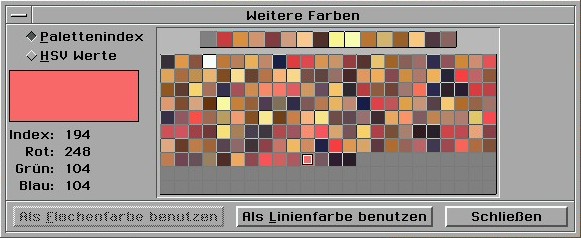
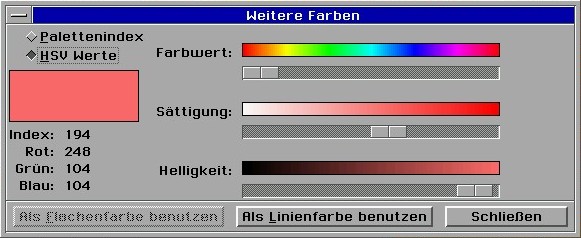
Der Icon Editor ab Version 7 beherrscht den Umgang mit allen Farbtiefen. Falls das Bild eine eigene Palette hat, wird bei der Farbauswahl genau diese Palette angezeigt und nicht die Standard-Palette. Starting with version 7, the Icon Editor supports all color depths. If the image has its own palette, the color selection window will display that specific palette rather than the default palette.


Die Farbauswahl erfolgt entweder über die Palette oder über Schieberegler im intuitiv zu benutzenden HSV-Farbmodell. Colors can be selected either using the color palette index or using sliders in the intuitive HSV color model.


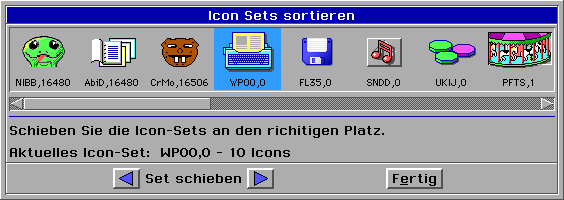
Viele weitere Funktionen machen das Arbeiten mit dem Icon Editor einfacher. Beispielsweise kann man die Reihenfolge der Icon-Sets oder der Icons innehalb eines Sets den eigenen Wünschen oder der internen Logik anpassen. Many other features make working with the Icon Editor easier. For example, you can adjust the order of the icon sets or the icons within a set to suit your preferences or the internal logic.

Zum Seitenanfang / Top of page


r*bettsteller#web*de ---- If you are not a robot replace * by . (dot) and # by @
Wenn Sie kein Roboter sind ersetzen Sie * durch . (Punkt) und # durch @ (Klammeraffe)
Datenschutzerklärung | Haftungsausschluss | Impressum | Privacy Policy (English) | Disclaimer (English)